

Key facts
- Alpha Skip-Ahead members can try the new console customization features first, with Xbox planning to bring them to more Insiders and players over time.
- Eligible Xbox Insiders can store preferred dynamic backgrounds and rotate through them without manual selection on the console Home screen.
- Saving a controller's exclusive background as a favorite lets an Insider use that background even when the controller is not connected, with the XBOX Wireless Controller X25 Special Edition given as an example.
- Insiders can choose Shuffle at the start of any background category to make the Home background change at each sign-in, or on an hourly, daily, or weekly schedule.
On Nov. 12, 2026, Xbox Wire said Xbox Insiders can customize the console Home screen, the My games & apps library, and the Guide. Xbox plans to bring the features to more Insiders and players over time without setting a specific date.
Eligible Xbox Insiders can save their preferred dynamic backgrounds and let the console cycle through them automatically on the Home screen. They open Settings, choose General, then Personalization, then My background, select Dynamic backgrounds, pick one, and press X. Saved backgrounds appear in a new Favorites category.
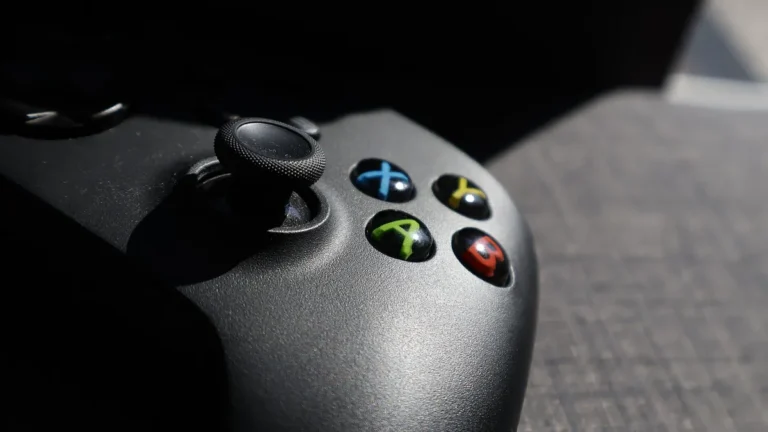
If an Insider saves a controller’s exclusive background as a favorite, that background stays available even after the controller disconnects. Xbox points to the XBOX Wireless Controller X25 Special Edition as one example. They can also pick Shuffle at the start of any background category so the Home background changes at every sign-in or on an hourly, daily, or weekly timer.
Xbox says that since August, players have been able to claim digital licenses for games they own on disc. Starting Nov. 12, 2026, Insiders who claimed a digital license for a disc-based game see those titles grouped in a separate library category. They can move those games back into the main owned-games view by opening Settings, selecting General, then Personalization, then Games & apps.
Insiders can set the Guide to open on either the left side or the right side of the screen. The setting sits in Settings, General, Personalization, Guide. Xbox asks Insiders to send feedback on the features at aka.ms/XBOXplayervoice.
Players who need support can join the Xbox Insider subreddit, where Xbox staff, moderators, and other Insiders provide help. Xbox recommends adding to existing threads with the same topic before posting a new one. To join the Xbox Insider Program, players download the Xbox Insider Hub for Xbox Series X|S, Xbox One, or Windows PC. Xbox also shares program news and announcements on its Twitter account, @XboxInsider, and on its blog.
Microsoft made an updated Xbox PC app available to Insiders on Nov. 5, 2026. Jason Beaumont, VP of Xbox Experiences, called the update simpler for finding games, connecting with friends, and playing. Microsoft says the app launches up to 60 percent faster, with Home, Store, and Game Pass pages up to 50 percent faster and in-app windows up to 65 percent faster. Those figures come from the company’s own testing.
The app now puts friends and social features in its main navigation, so players can see what friends are playing, start a chat, or join a party. A single search bar now covers games, installed titles, add-ons, and people. The visual overhaul adds refreshed game cards, updates Home and Settings, and adds new animations for a cleaner look.

The Library also gets simpler navigation, updated filters, and new organization options that Xbox has not named. These changes arrive in the same Insider build that adds performance improvements.
After Nov. 6, 2026, a refreshed Xbox Cloud Gaming website rolled out automatically to more players over the coming weeks, while Insiders could use it right away at play.xbox.com. GodisaGeek.com said the site first appeared as a public preview on January 26, and players opt in through a Preview Features toggle in web settings. On the site, a Library tab collects cloud games a player owns plus games available through Xbox Game Pass, with sorting and filtering by recently played, genre, and input options.
On PCs and larger displays, the app and web experience add a desktop mode with dark mode, light mode, and five new high-contrast choices. The desktop mode uses extra screen space, so more content fits on the display while browsing. Xbox is bringing the refreshed look and navigation to cloud gaming apps on supported TVs and VR headsets, calling the TV and headset work a start. Microsoft did not announce which models are compatible or when the rollout will finish.
Geeky Gadgets reports that a new launch animation lets users halt a game start within five seconds, based on testing on the ROG Xbox Ally X. The outlet also says testers saw performance gains even on weak Wi-Fi connections. The Xbox game bar continues to support widget customization and display choices, and players can turn off the new app experience to go back to the older interface.
Sort filters that order games by play date, install size, or alphabetical order now load faster, and switching between filters no longer forces artwork to reload. The changes make it easier to find and organize games, particularly on handheld devices.
Beaumont said player feedback will keep shaping future Xbox work because Xbox has heard where the experience could be better. “We’ve heard where the experience could be better,” Beaumont said. The update remains part of Xbox Insider testing, and Microsoft has not set a general release date.



Join the discussion