
Key facts
- A Radeon owner claimed on Reddit that the driver consumed about 1% of SSD health monthly for 16 months, and darklinkpower repeated similar reports this month.
- Users reported sustained SSD writes of about 5 MB/s while idle, linked to AMD's External Events Utility service.
- One workaround is to open Windows Services via Win + R and services.msc, find AMD External Events Utility, stop it, and set startup to Disabled, though this can disable FreeSync or cause hot-swap glitches.
- Another workaround is to disable Resizable BAR or Smart Access Memory via UEFI/BIOS or Adrenalin Edition settings; one user reported this stopped disk activity without disabling EEU, but ReBAR aids GPU memory access.
AMD acknowledged on Oct. 21, 2026, in a community forum response that it was investigating its External Events Utility after Radeon owners reported the driver component writing continuously to solid-state drives, and a company representative on Reddit said a fix was expected in the next driver update. Another representative, AMAD Vik, subsequently apologized on Reddit.
A Radeon owner claimed on Reddit that the driver consumed about 1% of SSD health monthly for 16 months, and darklinkpower repeated similar reports this month. The issue drew attention on Nov. 8, 2026, when Reddit user darklinkpower highlighted unusual drive activity.
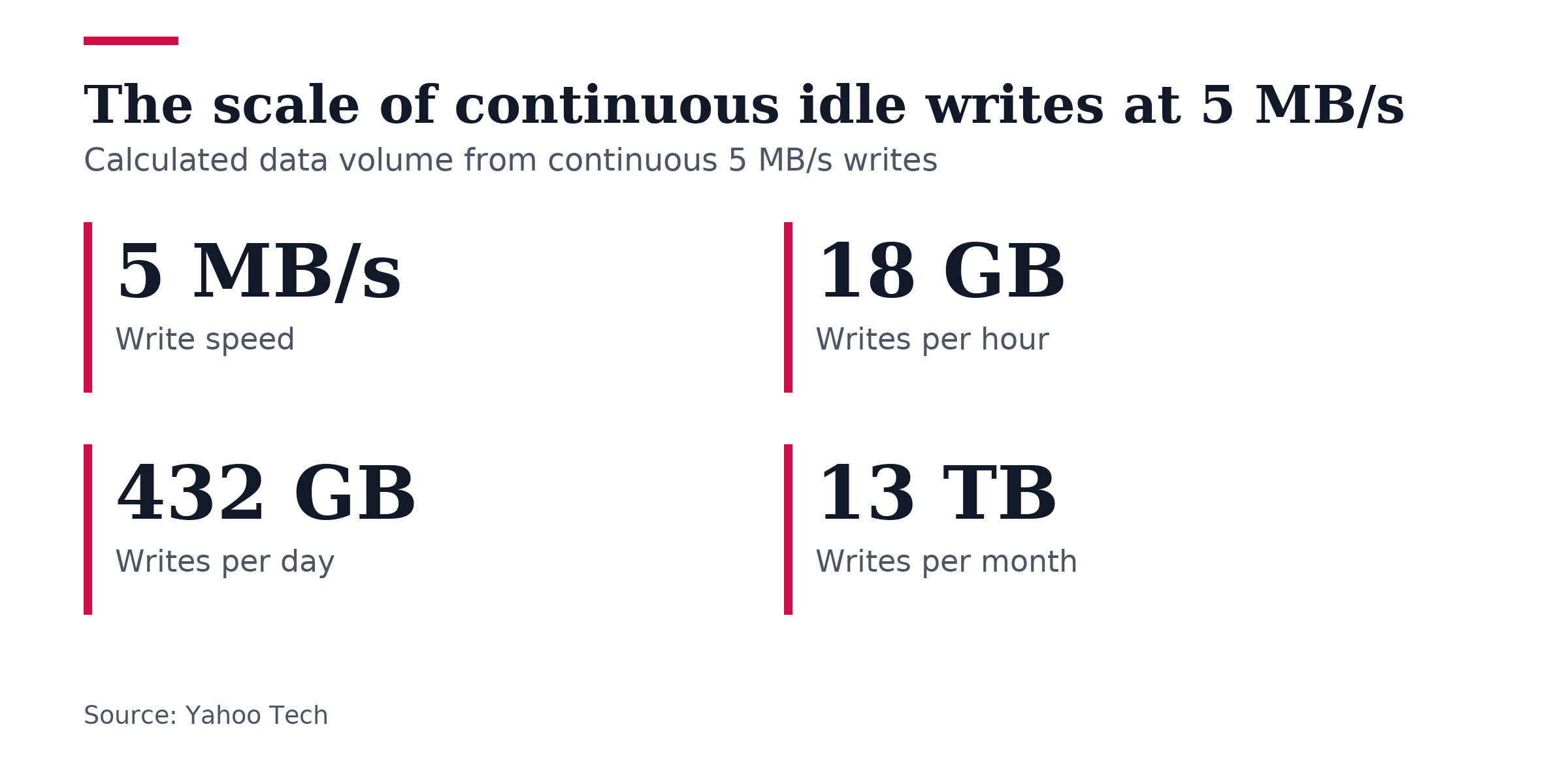
Other users reported sustained SSD writes of about 5 MB/s while idle, linked to AMD’s External Events Utility service. At 5 MB/s of continuous writes, an SSD would receive roughly 18 GB of host writes per hour, about 432 GB per day, and close to 13 TB monthly, figures Yahoo Tech presents to show scale.
The scale figures do not necessarily mean data is written to NAND flash because SSD controllers use caching and wear-leveling. As a result, it is unknown how much reported write activity translates to actual NAND flash wear, and the 1% monthly health-loss claim is unconfirmed.
Reports involve Adrenalin 26.19.2 and older releases, and AMD’s Oct. 30, 2026, release notes for Adrenalin 26.20.2 do not mention the issue, leaving the responsible versions unclear. The reporting notes there are no clear patterns across driver versions, making it difficult to say which configurations are responsible.
The problem appeared in July 2026 on AMD’s official PC user forum after a Radeon 9060XT installation, and later comments said it continued despite fixes and patches. One user stated the External Events Client Module and EEU were constantly writing to the SSD after installing the Radeon 9060XT. Two users in that forum thread reported hard numbers this month ranging from 0.3 MB/s to 1.5 MB/s.
A prior chipset-driver problem from November 2025 repeatedly updated a log file when on-screen elements moved or resized, raising FreeSync concerns. Yahoo Tech describes this as a prior, different proposition from the current near-constant idle writes.
PC owners can check by opening Windows Resource Monitor through Win + R and resmon, selecting the Disk tab, sorting by write activity, and watching for sustained writes from atieclxx.exe or atiesrxx.exe. Yahoo Tech presents this as the most sensible first step before disabling services or changing BIOS settings.
One workaround is to open Windows Services via Win + R and services.msc, find AMD External Events Utility, stop it, and set startup to Disabled. Yahoo Tech says this stops excessive writes but is not necessarily a clean solution. Another workaround is to disable Resizable BAR or Smart Access Memory via UEFI/BIOS or Adrenalin Edition settings; one user reported this stopped disk activity without disabling EEU, but ReBAR aids GPU memory access. Disabling ReBAR is not ideal because of the performance benefit, and both workarounds could cause issues, especially performance regressions with ReBAR.
Toggling Smart Access Memory off also risks CPU-GPU communication issues, and stopping the service can disable FreeSync or cause hot-swap glitches.
AMD has indicated a fix is in the works but has not published a confirmed release date for it. A Reddit poster said AMD is aware of the problem and plans an official fix for the upcoming Adrenalin driver update 26.11.1. There is little indication of how quickly a permanent patch will be pushed and no firm timeline.
Company representatives have struck a cautious tone. AMAD Vik said, “This is hopefully fixed in the next one.” AMD_Vik commented this week that a fix would hopefully arrive in the next update, without a firm timeline, and said, “hopefully [be] fixed in the next [update].”
User reports show the problem does not hit every AMD user, though it seems widespread across many in the AMD community, and reports of the problem have not come from Linux users.

Join the discussion